

Authoritative DNS with a web console
DNS infrastructure, simplified.
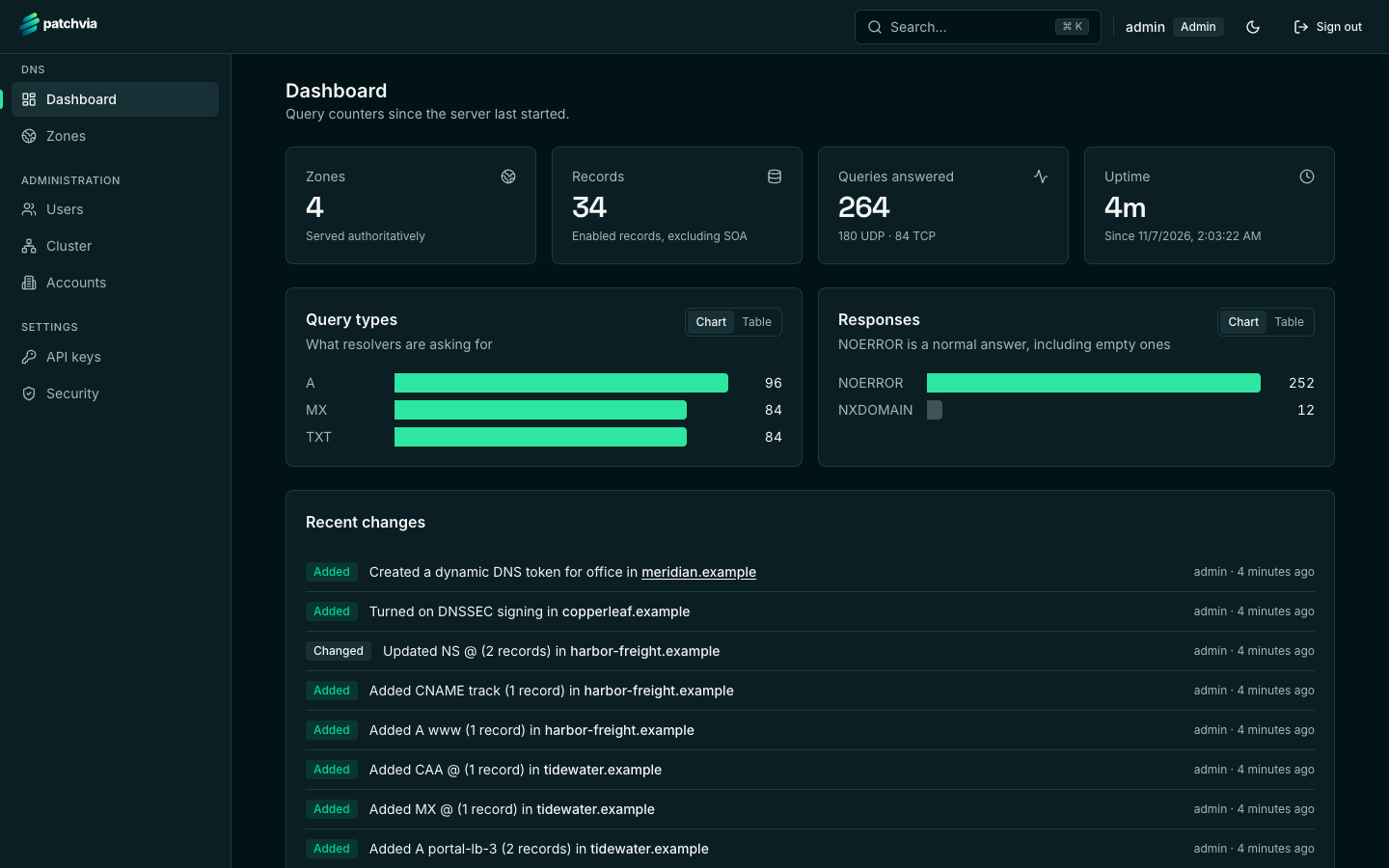
Patchvia DNS answers queries over UDP and TCP and gives you one console for everything around it: zones, records, DNSSEC keys, dynamic DNS, replication and cluster health.
- A, AAAA, CNAME, MX, TXT, SRV, CAA, PTR and more
- DNSSEC online signing with key rollover
- Clusters that keep their own databases in sync
What it does
Authoritative DNS, zones and a console, in one server you can read.
One binary for the DNS listener and the API, one database, one console. No second service to keep in step.
Records and zones
A, AAAA, CNAME, MX, NS, TXT, SRV, CAA, PTR and SOA, with wildcards and delegation. A staged record editor lets you review every change before it goes live.
DNSSEC
Online signing with key rollover, managed from the zone's settings. Keys live in the server's database, so back that up like a secret.
Zone transfers and NOTIFY
AXFR and IXFR, NOTIFY to your secondaries, secondary zones, and zone-file import when you are moving a zone in.
Dynamic DNS
Per-zone tokens for the update protocols routers and home gateways already speak, so a dynamic address updates itself.
Clustering
Run several nameservers, each with its own database, and let them keep each other in sync. The console shows replication status and cluster health.
Accounts, users and API keys
Give each customer an account with its own zones. Operators and clients sign in to the console; automation uses scoped API keys.
The console
Built for the person who answers the pager at 2 a.m.
Every screen is a view of the same server state. Nothing is hidden behind a separate admin tool.
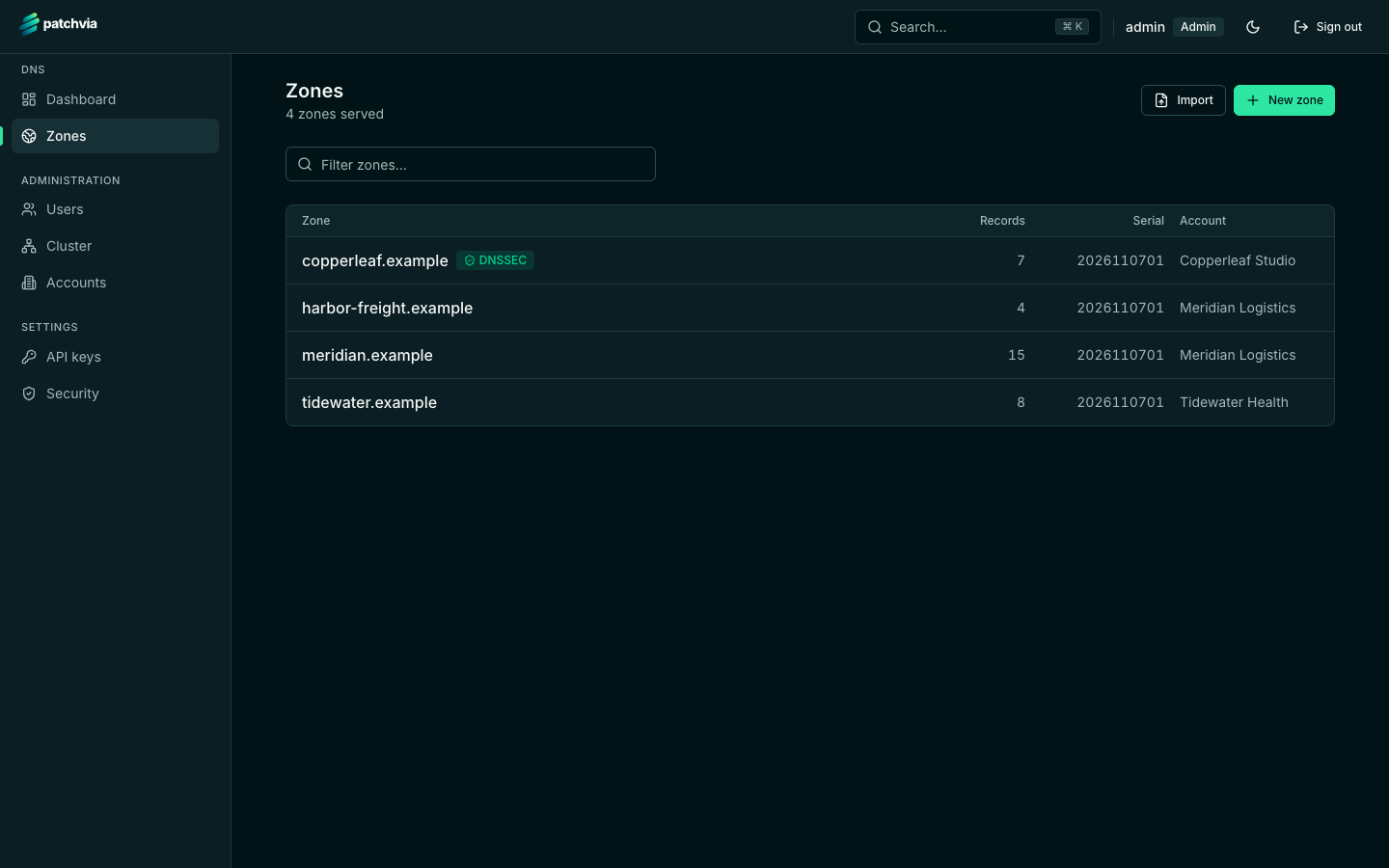
Zones at a glance
Each zone shows its record count, serial, DNSSEC status and owning account. Zones you cannot access are not listed at all.
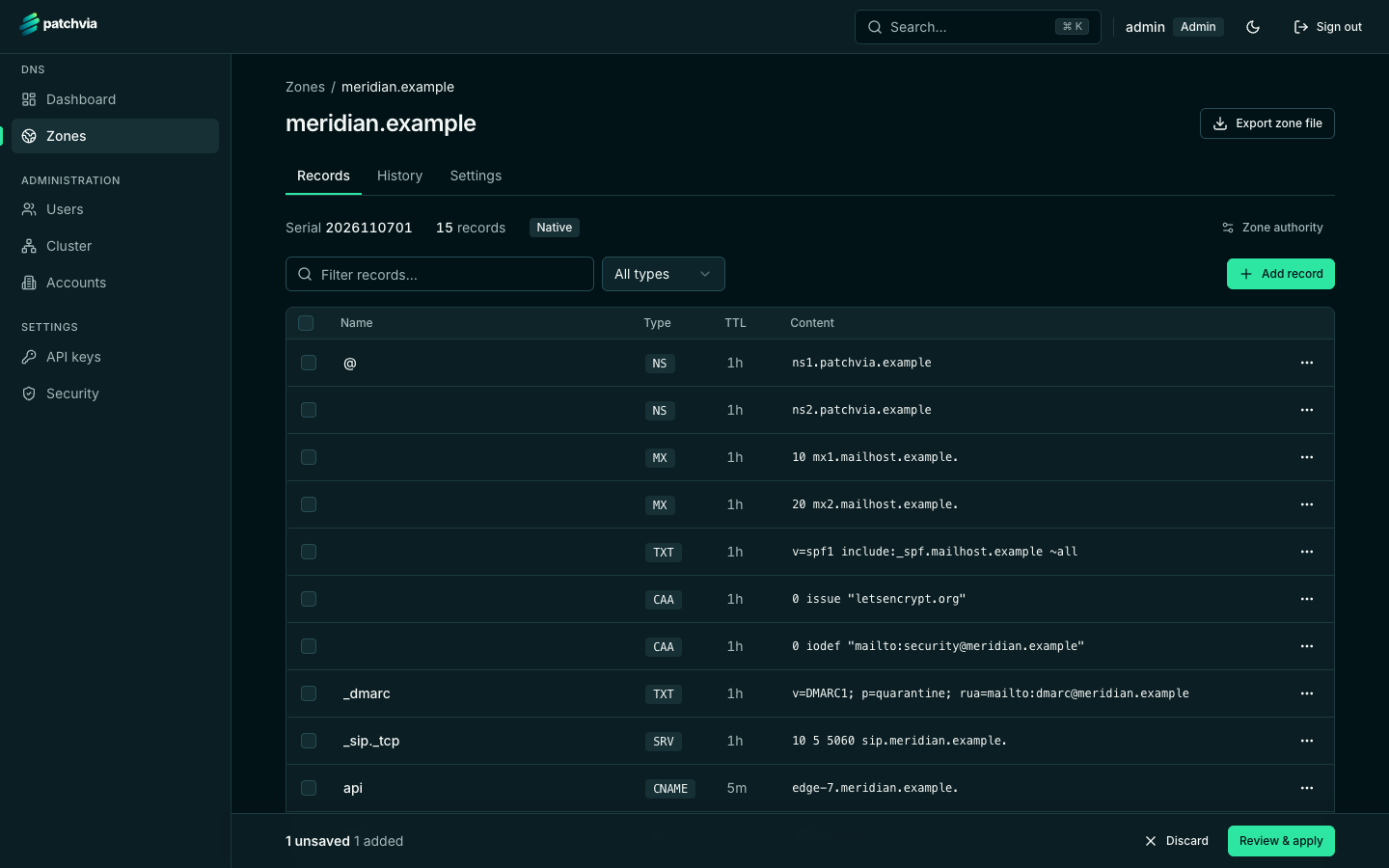
A staged record editor
Stage several record changes, review them, then apply them together.
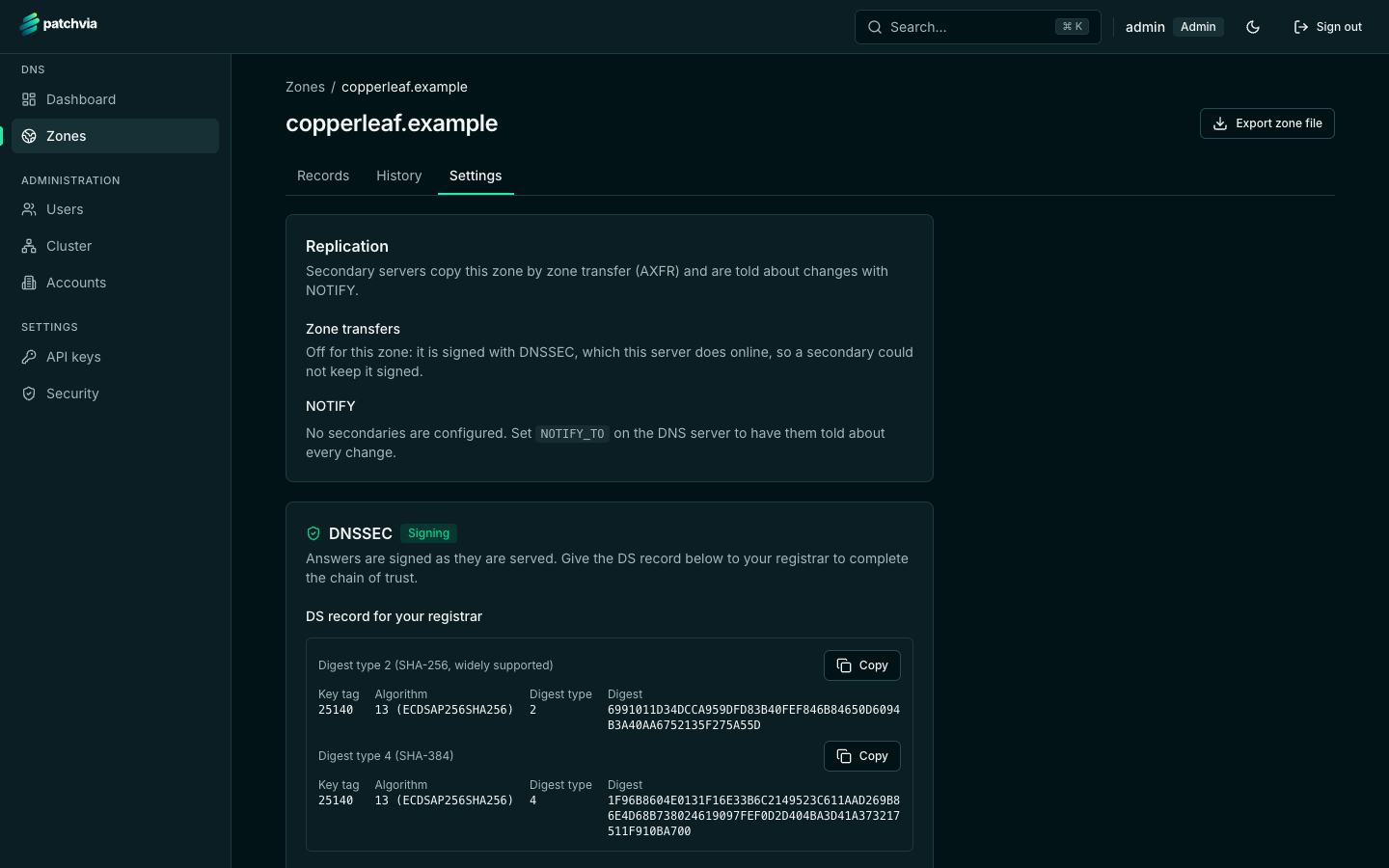
DNSSEC without the guesswork
See which keys are active and published, roll them over, and copy the DS record for your registrar.
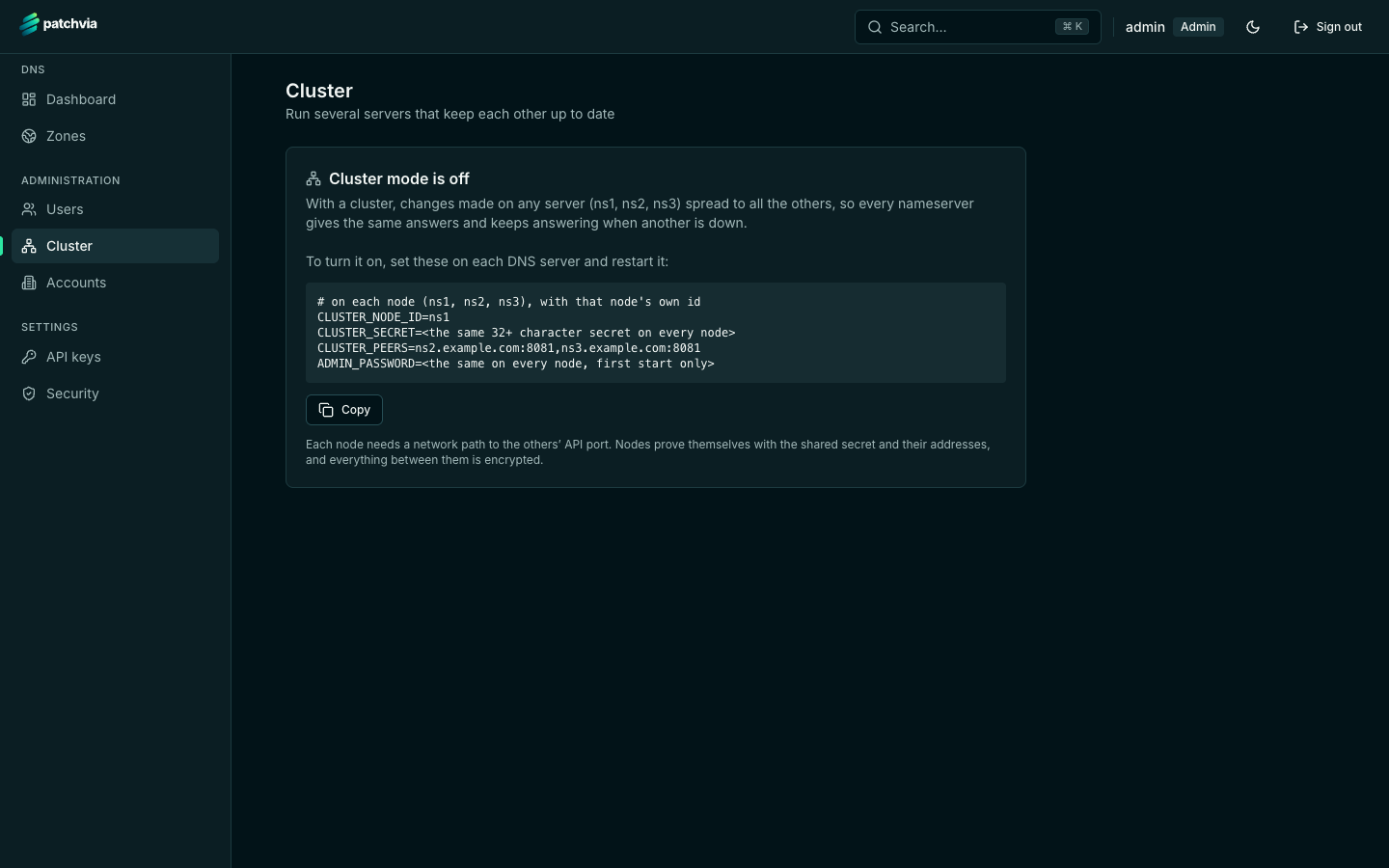
Clustering, set up from one page
Turn a cluster on with a few environment variables per node. The cluster page shows exactly what to set on each one, then the health of the nodes once they run.
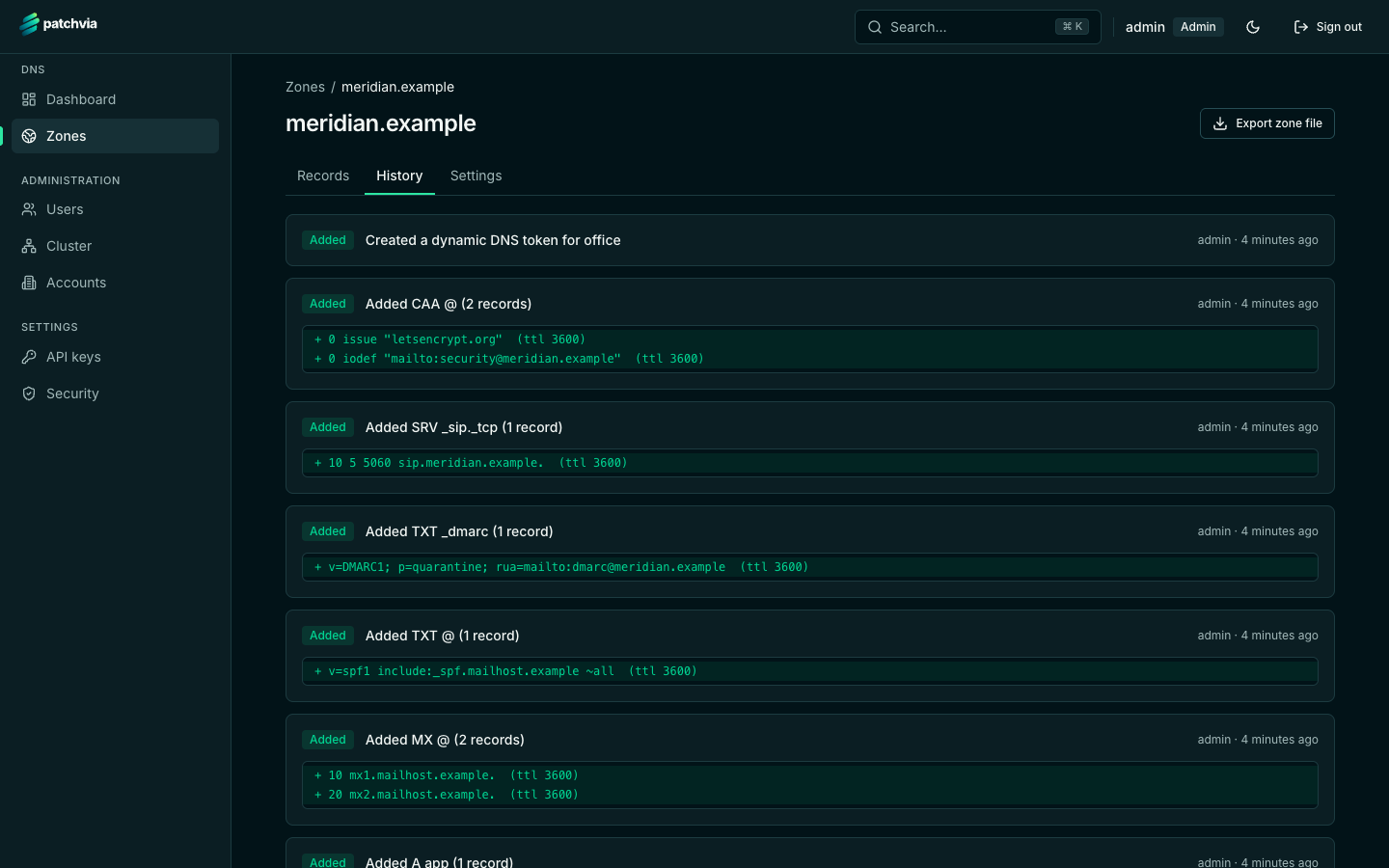
History for every zone
Who changed what, and when. The history is the audit trail and the basis for a rollback.
Run it yourself
Two containers, one environment file.
The server and the console ship as separate images. Set an admin password and a session secret, then start them.
- Two images from Docker Compose, configured through one
.envfile - The DNS listener on port 53, UDP and TCP; the API stays on loopback unless you put TLS in front of it
- Rate limiting on identical responses, and per-IP limits on TCP
- All state lives in one database per node: back it up like a secret, because it holds DNSSEC keys
$ mkdir patchvia && cd patchvia$ curl -fsSLO https://raw.githubusercontent.com/patchvia/patchvia/main/deploy/docker-compose.yml$ curl -fsSL -o .env https://raw.githubusercontent.com/patchvia/patchvia/main/deploy/.env.example$ nano .env # set ADMIN_PASSWORD and SESSION_SECRET$ docker compose pull$ docker compose up -d --no-buildAnother Floms product
Run Patchvia DNS on Provelox.
Provelox runs Compose projects on your own server. Paste this project into it, fill in the variables, and deploy. Each public service gets a domain with HTTPS.
x-provelox: variables: ADMIN_PASSWORD: { secret: true, minLength: 10, label: Admin password (first start only) } SESSION_SECRET: { secret: true, minLength: 32, label: Session secret } DEFAULT_NS: { label: Default nameservers } services: dns-server: image: ghcr.io/patchvia/dns-server:latest restart: unless-stopped ports: - "53:53/udp"Explore
Every part of Patchvia DNS, in detail.

Built for a more connected internet.
Patchvia DNS is an authoritative DNS server you run on your own infrastructure, with a console to match.